
SMTP Manager v1.1.0 — What’s New in This WordPress SMTP Plugin Update
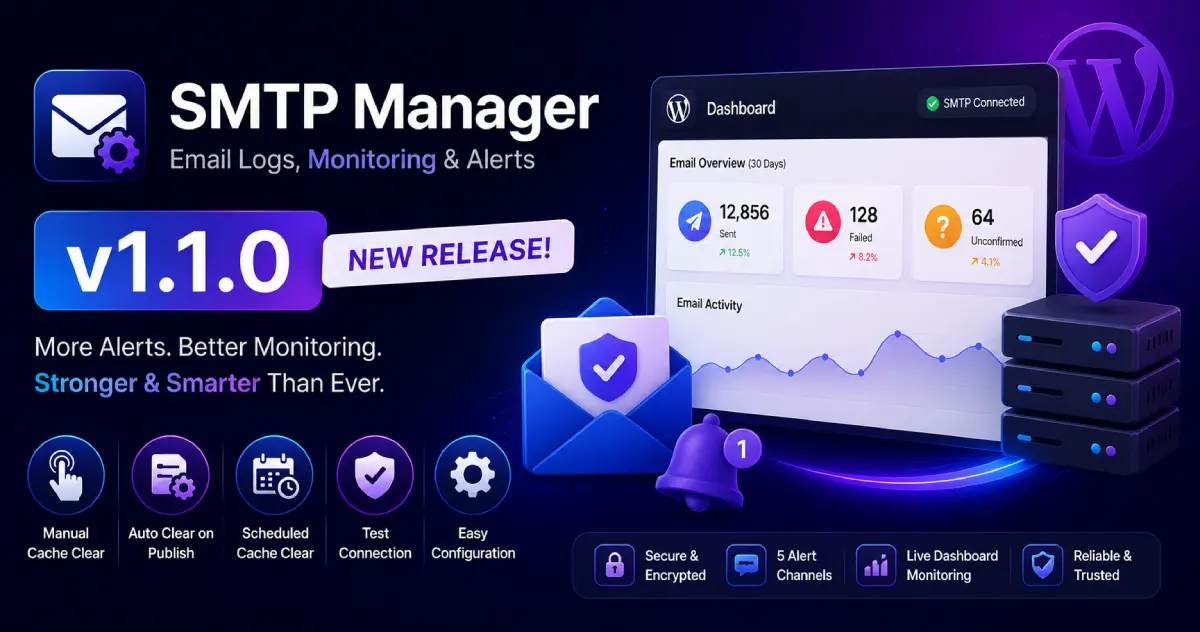
If you use SMTP Manager by ByteCore Stack to fix WordPress email deliverability on your site, today’s v1.1.0 release is the most significant update since launch. This free WordPress SMTP plugin update delivers three new alert channels, a live Dashboard widget for WordPress email monitoring, a full admin UI overhaul, four targeted security fixes, and a critical reliability patch that was causing the SMTP health check to report false positives.
Below is a complete breakdown of every change, why it was made, and what it means for your site’s WordPress email deliverability.
⬇ Install SMTP Manager Free — WordPress.org
Plugin Display Name Updated
The plugin’s display name has changed from SMTP Manager by ByteCore Stack to SMTP Manager – Email Logs, Monitoring & Alerts. The new name better reflects what the plugin actually does — it is not just an SMTP relay, it is a full WordPress email log, monitoring, and alerting system. The plugin slug (bcs-smtp-manager), all database option keys, and your existing SMTP credentials and settings are completely unchanged. No reconfiguration needed after updating.
New SMTP Alert Channels for WordPress
One of the most requested additions: more ways to receive SMTP failure alerts in WordPress. v1.0.0 supported Slack and Microsoft Teams. v1.1.0 adds three more channels:
| Alert Channel | Payload Type | Best For |
|---|---|---|
| Google Chat | Formatted card message | Teams on Google Workspace |
| Discord | Formatted embed message | Dev teams using Discord |
| Slack | Formatted message | Already supported in v1.0.0 |
| Microsoft Teams | Formatted message | Already supported in v1.0.0 |
| Custom Webhook | Structured JSON payload | Zapier, Make, n8n, internal endpoints |
The Custom Webhook channel is the most powerful addition for developers. Instead of a formatted chat message, it sends a structured JSON payload to any URL you specify. The payload includes fields like event, site_name, error_msg, consecutive_failures, and more — making it simple to connect WordPress SMTP failure alerts to any automation platform (Zapier, Make, n8n) or internal monitoring system, and trigger whatever follow-on action you need: SMS, PagerDuty incidents, database logging, or custom dashboards.
All webhook URLs across every channel are validated against each provider’s real domain and dispatched exclusively via wp_safe_remote_post(). This closes a security gap — more in the Security section below.
WordPress Dashboard Widget for Email Health Monitoring
v1.1.0 adds a new WordPress Dashboard widget for instant SMTP email monitoring without opening the plugin settings. Visible on wp-admin → Dashboard, it displays:
- Current SMTP health status — is your SMTP connection live right now?
- 30-day email volume summary — sent, failed, and unconfirmed counts at a glance
For WordPress sites sending hundreds of WooCommerce order confirmations, password reset emails, or contact form notifications every day, this widget gives you a real-time pulse on WordPress email deliverability the moment you log in to wp-admin. If you want a deeper look at why email deliverability matters for your business, see our guide: Fix WordPress Email Deliverability the Right Way.
Admin UI Redesign
The settings interface has been rebuilt from scratch with usability and mobile access in mind. Key changes:
- Full-width layout with a boxed/gradient header
- Cards split into distinct header and body sections for faster scanning
- Icon tiles on stat boxes
- Common SMTP Providers quick-reference card — host, port, and encryption settings for Gmail SMTP, Outlook/Office 365, and other providers, embedded right inside the plugin
- Full mobile and tablet responsive pass — dropdowns, pagination, button widths, and the tab bar all scale correctly on small screens
- Show/hide eye icon on the SMTP password field
- AJAX-driven Email Log filtering with a skeleton loading state — filtering your WordPress email logs no longer triggers a full page reload
Security Improvements in This WordPress SMTP Plugin
Four security issues present in v1.0.0 are resolved in this release.
SMTP Password Now Encrypted at Rest
In v1.0.0, the SMTP password was stored in plaintext in the WordPress wp_options table. Any user or process with database read access could retrieve it. In v1.1.0, the password is encrypted at rest. Existing installations migrate automatically on the next settings save — open Settings → SMTP Manager, click Save, and the migration runs silently.
SSRF Vulnerability Closed on Webhook URLs
In v1.0.0, alert webhook URLs were sent without domain validation, creating a Server-Side Request Forgery (SSRF) risk: a malicious or misconfigured URL could force the server to POST to internal addresses — localhost, private IP ranges, or cloud metadata endpoints like 169.254.169.254. v1.1.0 validates every webhook URL against each provider’s real domain and routes all outbound requests through wp_safe_remote_post(), which respects WordPress’s built-in blocked host list.
Email Log No Longer Stores Message Bodies
The WordPress email log table in v1.0.0 was recording full email message bodies and headers — including potentially sensitive transactional content — even though the plugin UI only ever displayed delivery metadata (subject, recipient, status, error). v1.1.0 aligns the database with the UI: only delivery metadata is stored from this version onward.
Rate Limit on Manual Health Check
The Run Health Check Now button now enforces a 30-second rate limit, consistent with existing limits on test email sends and other manual actions. This prevents the button from being used to repeatedly probe an SMTP server.
Reliability: SMTP Health Check False-Positive Fix
This was the most impactful bug in v1.0.0. The automated SMTP health check could return a healthy status in three scenarios where the SMTP connection was actually broken:
- The check received a bare EHLO response and stopped — without completing the STARTTLS upgrade
- TLS encryption was configured but the server did not advertise STARTTLS support — the check passed anyway
- SMTP authentication was never verified when operating over an unencrypted connection
All three paths are fixed in v1.1.0. The health check now walks through the full connection sequence — STARTTLS negotiation, encryption confirmation, and authentication — before reporting a server as healthy. If you saw a green SMTP health status in v1.0.0 while WordPress was not sending emails correctly, this is the most likely cause. For a full walkthrough, read: Fix WordPress Email Deliverability with SMTP Manager.
Per-Recipient Delivery Reporting
Scheduled and manual WordPress email delivery reports previously returned a single pass/fail flag for the entire batch. v1.1.0 reports exactly which individual recipients succeeded and which failed — making it much easier to diagnose delivery problems on multi-recipient sends like WooCommerce order notifications CC’d to staff.
Performance Improvements for WordPress Email Logs
Two targeted database and export improvements for sites with large email log tables:
- Composite database index on
(status, sent_at)— the most common WordPress email log filter combination (status + date range) is now backed by a dedicated index. Filtering large log tables is substantially faster. - CSV export capped at 50,000 rows — prevents PHP memory exhaustion on high-volume sites during bulk exports.
WordPress and PHP Compatibility
The declared minimum WordPress version has been corrected from 5.0 to 5.3. The plugin was already using wp_timezone_string() and wp_date() — both introduced in WordPress 5.3 — but had declared a 5.0 minimum, meaning installs on WordPress 5.0–5.2 would encounter fatal errors. The declared minimum now matches the actual requirement. For the full picture of what changed in recent WordPress versions, see: WordPress 7.0 Armstrong: All New Features Explained.
Accessibility and Translation (i18n) Improvements
- Screen reader support — AJAX status messages now use
role="status" aria-live="polite"so assistive technologies announce results without a page reload. - Translation-ready strings — v1.0.0 declared a text domain but only wrapped approximately 2 out of hundreds of user-facing strings. v1.1.0 wraps nearly every string, making the plugin fully localizable for the first time.
Complete v1.1.0 Changelog
| Area | Change |
|---|---|
| Branding | Renamed to “SMTP Manager – Email Logs, Monitoring & Alerts” (display name only) |
| Alerts | Added Google Chat webhook alert channel |
| Alerts | Added Discord webhook alert channel |
| Alerts | Added Custom Webhook channel — structured JSON for Zapier / Make / n8n |
| Alerts | All webhook URLs validated against provider domain; sent via wp_safe_remote_post() |
| Dashboard | New Dashboard widget: SMTP health + 30-day email volume summary |
| UI | Full admin UI redesign — full-width layout, cards, icon tiles |
| UI | Common SMTP Providers quick-reference card added |
| UI | Full mobile and tablet responsive pass |
| UI | Password field show/hide toggle |
| UI | AJAX Email Log filtering with skeleton loader |
| Security | SMTP password encrypted at rest; auto-migrates on next settings save |
| Security | SSRF vector closed on webhook URLs via domain validation + wp_safe_remote_post() |
| Security | Email Log no longer stores message bodies or headers |
| Security | 30-second rate limit on Run Health Check Now |
| Reliability | Fixed SMTP health check false-positives (STARTTLS, TLS negotiation, auth over plaintext) |
| Reliability | Per-recipient success/failure in email delivery reports |
| Performance | Composite DB index on (status, sent_at) in Email Log table |
| Performance | CSV export capped at 50,000 rows |
| Compatibility | Minimum WordPress version corrected from 5.0 to 5.3 |
| Accessibility | AJAX messages use role=”status” aria-live=”polite” |
| i18n | Nearly all user-facing strings now wrapped for translation |
How to Update SMTP Manager on Your WordPress Site
Go to Dashboard → Updates in your WordPress admin and update SMTP Manager. Your SMTP credentials, email logs, alert configuration, and all settings are preserved. After updating, visit Settings → SMTP Manager and click Save Settings once — this triggers the automatic SMTP password encryption migration. No other action required.
Frequently Asked Questions
Will updating to v1.1.0 affect my WordPress email deliverability or break existing settings?
No. All SMTP settings, email logs, and alert configurations are preserved. The plugin slug, database keys, and option values are unchanged. The only migration is SMTP password encryption, which runs automatically on the next settings save — your emails continue sending without interruption throughout the update.
Does SMTP Manager work with Gmail SMTP and Outlook/Office 365 for WordPress?
Yes. For Gmail, use a Gmail App Password (required since Google deprecated plain passwords for third-party SMTP clients). For Outlook/Office 365, use smtp.office365.com, port 587, encryption TLS. The new Common SMTP Providers quick-reference card in v1.1.0 lists these settings directly inside the plugin admin panel.
Why was WordPress showing SMTP as healthy when emails were actually failing?
This was a bug in the v1.0.0 SMTP health check. It opened a TCP connection and read the server’s EHLO response, but did not complete the STARTTLS handshake or verify authentication. A server could respond to EHLO successfully while being completely unable to authenticate and send email. v1.1.0 walks through the full connection sequence before marking a server healthy.
Does this WordPress SMTP plugin work with WooCommerce emails and Contact Form 7?
Yes. SMTP Manager hooks into WordPress’s native wp_mail() function, so any plugin that sends email through the standard WordPress mail system — WooCommerce, Contact Form 7, WPForms, Gravity Forms, and others — automatically routes through your SMTP settings and appears in the WordPress email log.
What can I do with the Custom Webhook SMTP alert channel?
The Custom Webhook channel POSTs a structured JSON payload to any URL you provide when consecutive SMTP failures are detected. Use it with Zapier or Make to send SMS alerts, create PagerDuty incidents, log failures to a database, or notify a channel not in the built-in list. The payload includes event, site_name, error_msg, consecutive_failures, and related metadata.
How does SMTP Manager compare to WP Mail SMTP and Post SMTP for WordPress?
SMTP Manager focuses on three things WP Mail SMTP and Post SMTP either gate behind paid plans or don’t offer: built-in SMTP health monitoring via WP-Cron (TCP-only, no email sent), multi-channel failure alerts including a fully open Custom Webhook, and a 100% free plugin with no upsell tier. Read our full breakdown: SMTP Manager vs WP Mail SMTP vs Easy WP SMTP — Which Plugin Fixes WordPress Email?
Is SMTP Manager free? Are there any paid plans?
Yes, completely free. SMTP Manager is available on WordPress.org with no premium tier, no feature gating, and no subscription. All features — email logs, SMTP health monitoring, multi-channel alerts, CSV export, and scheduled delivery reports — are included at no cost.
Install the Best Free WordPress SMTP Plugin Today
SMTP Manager v1.1.0 is available now on WordPress.org. Install it directly from your WordPress dashboard by searching SMTP Manager ByteCore under Plugins → Add New, or use the buttons below.
Questions or issues? Open a thread in the WordPress.org support forum for SMTP Manager.
More Free WordPress Plugins from ByteCore Stack
- MCP Manager — Connect your WordPress site to Claude AI and any MCP client for AI-powered site management. Learn more →
- Lightsail Manager — Manage your Amazon Lightsail CDN distribution, invalidate cache, and monitor status from the WordPress dashboard. Learn more →
- Browse all ByteCore Stack plugins →