
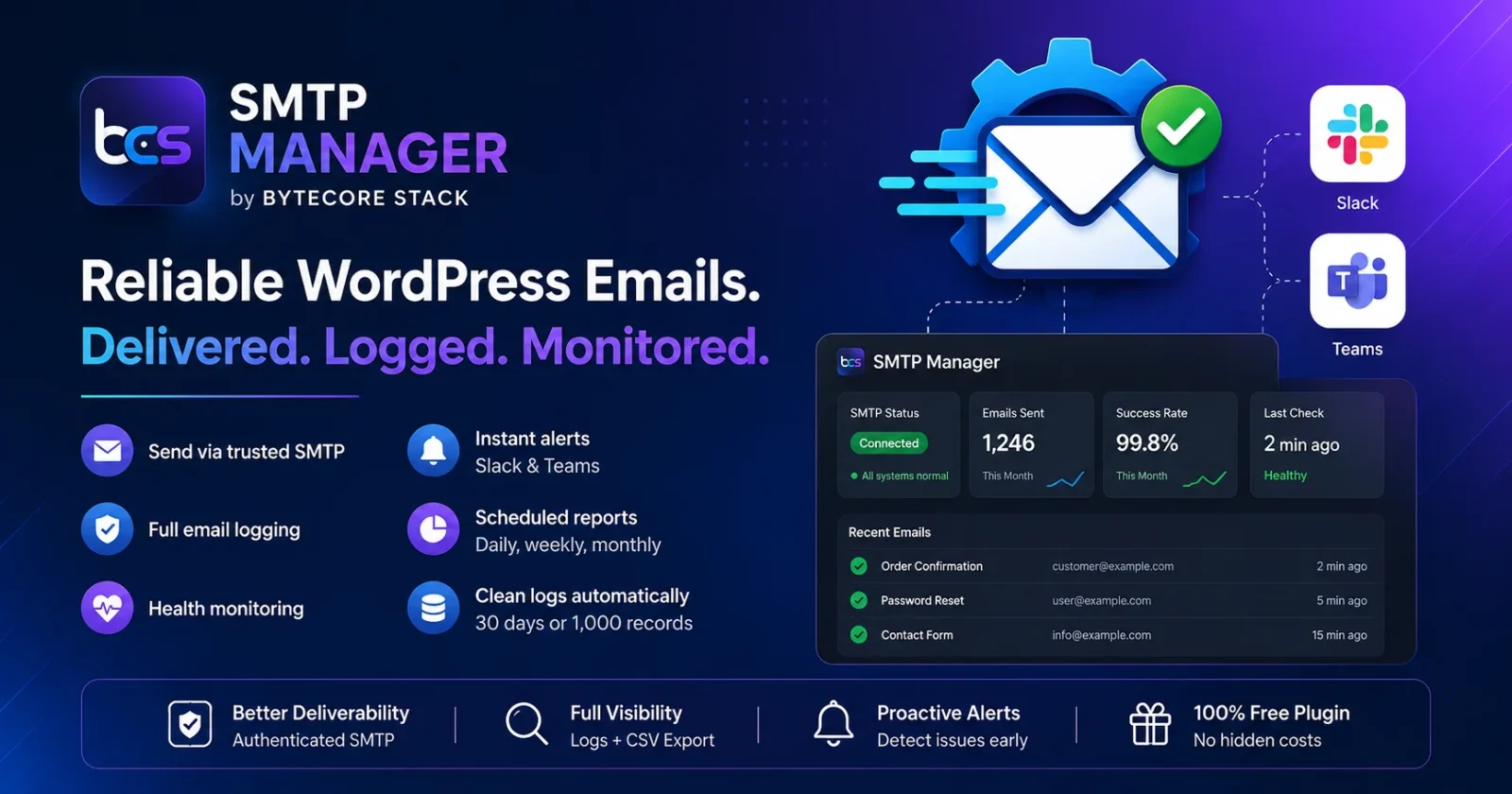

📧 Are your WordPress emails landing in spam — or not arriving at all? SMTP Manager fixes deliverability at the root, logs every email, and alerts your team the moment something breaks.
😩 The Problem: WordPress Email Is Unreliable By Default
Out of the box, WordPress sends email using PHP’s mail() function. This causes constant, often invisible problems:
- 📭 Password reset emails never arrive
- 🛒 WooCommerce order confirmations land in spam or vanish entirely
- 📬 Contact form notifications silently fail
- 🤷 No logs — you have no idea an email even failed until a customer complains
Why This Happens
Most hosting providers either block, throttle, or poorly configure PHP’s mail() function. There’s no authentication (SPF/DKIM), so receiving mail servers like Gmail and Outlook flag these emails as spam or reject them outright. And because WordPress doesn’t log outgoing mail, failures happen completely silently.
✅ The Solution: SMTP Manager
SMTP Manager by ByteCore Stack replaces WordPress’s default mail function with a fully configurable, authenticated SMTP connection — and adds full logging, health monitoring, and instant Slack/Teams alerts when something goes wrong.
Stop losing emails to spam folders.
🌟 Key Features
- 🔐 Custom SMTP connection — host, port, SSL/TLS/none, custom From name & address
- ✅ Works with everything — Gmail App Passwords, Outlook/Office 365, or any standard SMTP provider
- 📊 Full email log — date, subject, sender, recipient, status, and error messages
- 🔍 Searchable & filterable logs — with date-range presets, plus CSV export
- 💓 Automated SMTP health monitoring — TCP-only checks via WP-Cron, no emails sent during checks
- 🚨 Slack & Microsoft Teams alerts — get notified instantly on consecutive failures
- 📈 Scheduled email reports — daily, weekly, or monthly HTML summaries
- 🧹 Automatic log pruning — keep 30 days or last 1,000 records
- 🌙 Dark-mode admin UI
📸 See It In Action

📥 Installation Guide
- In your WordPress dashboard, go to Plugins → Add New
- Search for “SMTP Manager by ByteCore Stack”
- Click Install Now, then Activate
- Go to Settings → SMTP Manager to configure
⚙️ Setup Tutorial
- Enter your SMTP credentials — host, port, encryption type (SSL/TLS/none), username & password
- Set your From name and email address — what recipients will see as the sender
- Save settings
- Click “Send Test Email” — verify delivery instantly
- (Optional) Enable health monitoring — set check interval and failure threshold
- (Optional) Set up Slack/Teams alerts — go to the Alerts tab, paste your Incoming Webhook URL
📌 Gmail Quick Setup
Enable 2-Step Verification on your Google account → generate an App Password under Security → App Passwords → use that as your SMTP password with host smtp.gmail.com, port 587, encryption TLS.
📌 Outlook / Office 365 Quick Setup
Host: smtp.office365.com, Port: 587, Encryption: TLS — use your Microsoft 365 account password or an app password.
👥 Who Should Use This?
- WooCommerce stores that depend on order/shipping email notifications
- Sites using Contact Form 7, WPForms, or Gravity Forms
- Membership/login sites relying on password reset emails
- Agencies managing multiple client sites who need failure alerts
💡 Benefits
- 📬 Higher deliverability — authenticated SMTP avoids spam filters
- 🔍 Full visibility — know exactly what’s sent and what failed, with CSV export
- 🚨 Proactive alerts — fix SMTP issues before customers notice
- 🧹 Zero maintenance — automatic log pruning keeps your database clean
- 💰 Free — full feature set at no cost
🔍 How Does It Compare?
| Plugin | Email Logging | Health Monitoring + Alerts | Price |
|---|---|---|---|
| SMTP Manager | ✅ Full + CSV export | ✅ Slack & Teams | Free |
| Basic SMTP plugins | ⚠️ Limited or none | ❌ Not included | Free / Premium add-ons |
| Transactional email services (direct) | ✅ Yes | ✅ Varies | Often paid tiers |
❓ Frequently Asked Questions
Does this work with Gmail?
Yes — you’ll need a Gmail App Password since Google no longer allows regular passwords for third-party SMTP clients. Enable 2-Step Verification, then generate an App Password under Security settings.
Does this work with WooCommerce and contact forms?
Yes — any plugin using WordPress’s standard wp_mail() function (WooCommerce, Contact Form 7, WPForms, Gravity Forms, etc.) automatically routes through your configured SMTP settings.
Can I use this for bulk email marketing?
No — this plugin is designed for transactional email (order confirmations, password resets, form notifications). For bulk marketing, use a dedicated service like Mailchimp, Klaviyo, or Brevo.
How does SMTP health monitoring work?
WordPress Cron opens a TCP connection to your SMTP server at your configured interval — no email is sent. If it fails consecutively beyond your threshold, an alert goes to Slack or Teams.
Where are my SMTP credentials stored?
Credentials are stored in your WordPress database (wp_options) using the standard WordPress options API — never sent to ByteCore Stack servers.
How do I set up Slack or Teams alerts?
In the Alerts tab, enable the Alert Channel toggle, select Slack or Microsoft Teams, and paste your Incoming Webhook URL (created from your Slack/Teams workspace settings).
🛠️ Troubleshooting
Test email fails to send
Double-check host, port, and encryption combination (e.g. Gmail = smtp.gmail.com / 587 / TLS). Make sure you’re using an App Password, not your regular account password, for Gmail and most providers with 2FA.
Emails still going to spam
SMTP authentication helps, but also verify your domain’s SPF and DKIM DNS records are configured correctly for your sending domain.
Not receiving Slack/Teams alerts
Confirm the webhook URL is correct and active, and that your failure threshold hasn’t been set too high. Test by triggering a deliberate SMTP failure (e.g. wrong password temporarily).
🎯 Get Started Today
Stop guessing whether your emails are getting through. Install SMTP Manager and get reliable delivery, full visibility, and instant alerts when something breaks.
Download SMTP Manager now — it’s free
🤝 Related Reading
- Want faster CDN cache management too? Check out our Lightsail Manager plugin
Questions about SMTP setup or deliverability? Contact the ByteCore Stack team — we’re happy to help.