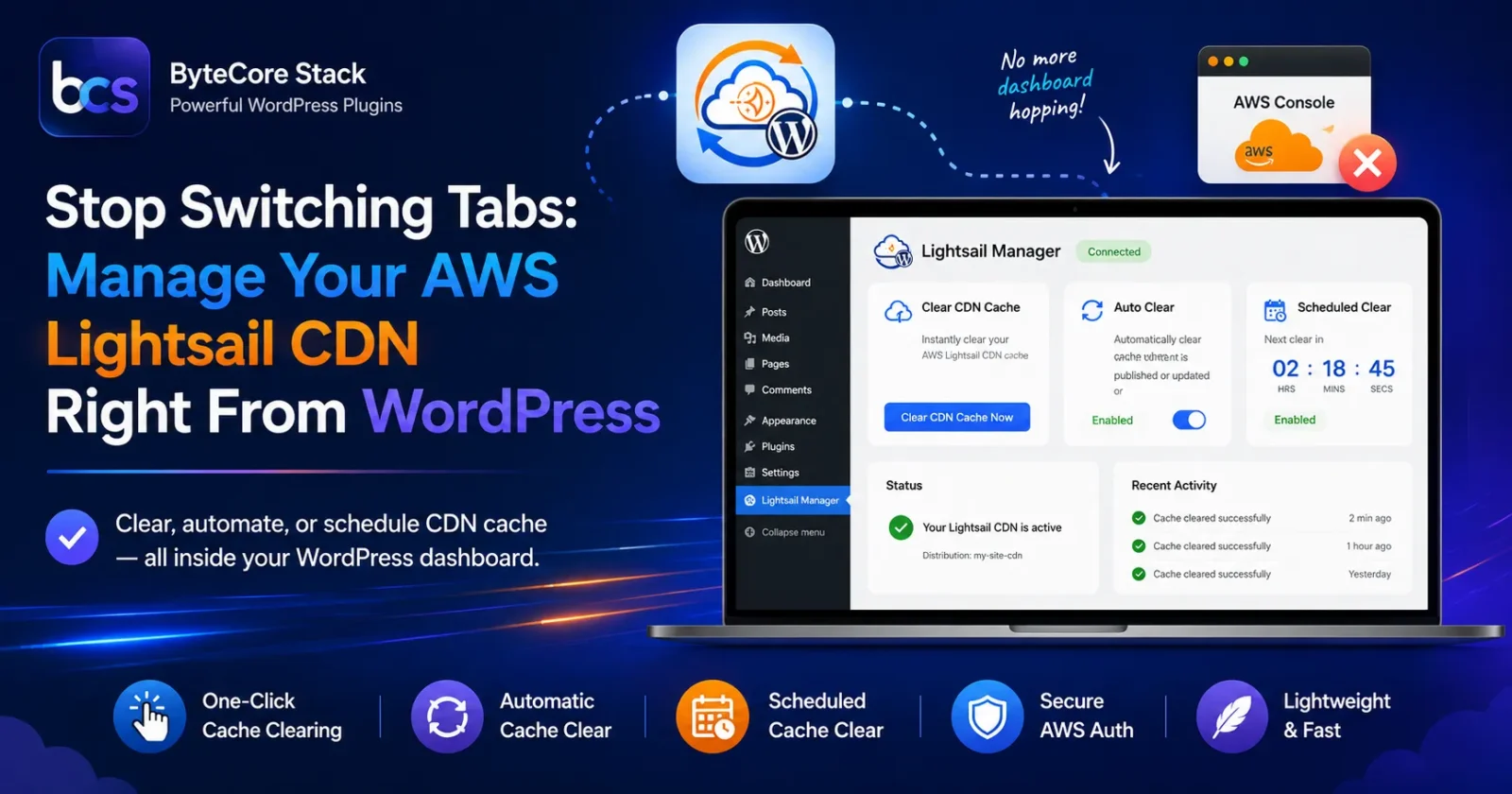

🚀 Tired of switching between WordPress and the AWS Console just to manage your media CDN? Lightsail Manager brings AWS Lightsail CDN control directly into your WordPress dashboard — no AWS expertise required.
😩 The Problem: AWS Lightsail + WordPress Is Powerful, But Painful
AWS Lightsail is one of the most affordable and reliable ways to host WordPress — fast SSD storage, predictable pricing, and built-in CDN distributions. But there’s a catch:
- 🔁 Managing your CDN cache means logging into a separate AWS console
- ⏱️ Cache invalidation after content updates is a manual, multi-step process
- 🔁 Repeating this every time you publish or update content gets old fast
- 🧩 None of this is visible or manageable from your WordPress dashboard
Why This Happens
WordPress core has no native concept of AWS infrastructure — it doesn’t know your site is on Lightsail, doesn’t know about your CDN distribution, and can’t talk to AWS APIs. So every CDN-related task becomes a manual side-quest in a completely different dashboard, with a different login, different UI, and a steep learning curve for non-AWS-savvy site owners.
✅ The Solution: Lightsail Manager
Lightsail Manager by ByteCore Stack is a free WordPress plugin that gives you complete control over your AWS Lightsail CDN cache — directly from your WordPress admin panel. Manually clear it, automatically invalidate it on content updates, or schedule recurring clears.
Ready to simplify your AWS Lightsail setup?
🌟 Key Features
- 🖱️ Manual cache clearing — one-click CDN cache invalidation with instant feedback
- ♻️ Automatic cache clearing — clears CDN cache automatically when posts/pages are published or updated, including custom post types
- ⏰ Scheduled cache clearing — interval, weekly, or monthly clears with a live countdown timer, using your WP timezone
- 🔐 Secure AWS Signature V4 authentication — credentials stored safely in
wp-config.php, never in the database - 🪶 Lightweight — clean, modern admin UI with zero performance overhead
📸 See It In Action


📥 Installation Guide
- In your WordPress dashboard, go to Plugins → Add New
- Search for “Lightsail Manager by ByteCore Stack”
- Click Install Now, then Activate
- Go to Settings → Lightsail Manager to manage your cache
⚙️ Setup Tutorial
- Find your distribution name — AWS Lightsail console → Networking → CDN distributions
- Create AWS credentials — AWS IAM console → create a user (or use existing) → attach Lightsail permissions → generate Access Key ID & Secret Access Key
- Add credentials to
wp-config.php:define('AWS_ACCESS_KEY_ID', 'your_access_key_here'); define('AWS_SECRET_ACCESS_KEY', 'your_secret_key_here'); define('AWS_DEFAULT_REGION', 'us-east-1'); define('LIGHTSAIL_DISTRIBUTION_NAME', 'your_distribution_name'); - Configure clearing behavior — choose manual, automatic (on publish/update), and/or scheduled cache clearing in Settings → Lightsail Manager
- Test it — click “Clear CDN Cache Now” and confirm the success message
👥 Who Should Use This?
- WordPress sites using AWS Lightsail CDN
- Content publishers who need fresh content delivered fast across edge locations
- Developers who want automated, scheduled cache management
- Sites with frequent content updates
💡 Benefits
- ⏱️ Saves time — no more dashboard-hopping to clear CDN cache manually
- 🚀 Always-fresh content — auto-clear ensures visitors see updates immediately
- 🛡️ Secure — AWS Signature V4 auth, credentials never exposed in the admin UI or database
- 💰 Free — full feature set at no cost
🔍 How Does It Compare?
| Plugin | AWS Lightsail CDN Support | Setup Complexity | Price |
|---|---|---|---|
| Lightsail Manager | ✅ Native, purpose-built | Low | Free |
| CloudFront-focused plugins | ❌ Not compatible with Lightsail CDN | Medium-High | Often premium |
| Manual AWS Console management | ✅ Full | High (technical) | Free (your time) |
❓ Frequently Asked Questions
Do I need an AWS account?
Yes, you need an AWS account with an active Lightsail distribution and CDN enabled, plus IAM permissions to manage it.
Is this plugin secure?
Yes — it uses AWS Signature Version 4 for authentication. Credentials are stored in wp-config.php, not the database, and are never exposed in the admin interface.
Does this work with CloudFront?
No — this plugin is purpose-built for AWS Lightsail CDN distributions specifically.
Can I schedule cache clears at specific times?
Yes! Choose interval, weekly, or monthly schedules with custom times and days, based on your WordPress timezone.
Will this slow down my site?
No — cache operations run in the background and only communicate with AWS during manual clears, auto-clears on update, or scheduled runs.
Does this work with WordPress Multisite?
Yes — each site in a multisite network can have its own cache clearing schedule.
🛠️ Troubleshooting
Cache clearing failed / error message shown
The plugin displays detailed AWS error messages. Common causes: incorrect Access Key/Secret, wrong distribution name, or missing Lightsail permissions on the IAM user.
Can I clear cache for specific pages only?
Currently the plugin clears the entire CDN cache — selective/partial cache clearing may be added in a future update.
Scheduled clear didn’t run
Scheduled clears rely on WP-Cron, which is triggered by site visits. On low-traffic sites, consider setting up a real server cron job for wp-cron.php.
🎯 Get Started Today
Stop juggling dashboards. Install Lightsail Manager and keep your AWS Lightsail CDN cache fresh — automatically, on schedule, or with one click.
Download Lightsail Manager now — it’s free
Questions about setup or AWS configuration? Contact the ByteCore Stack team — we’re happy to help.