
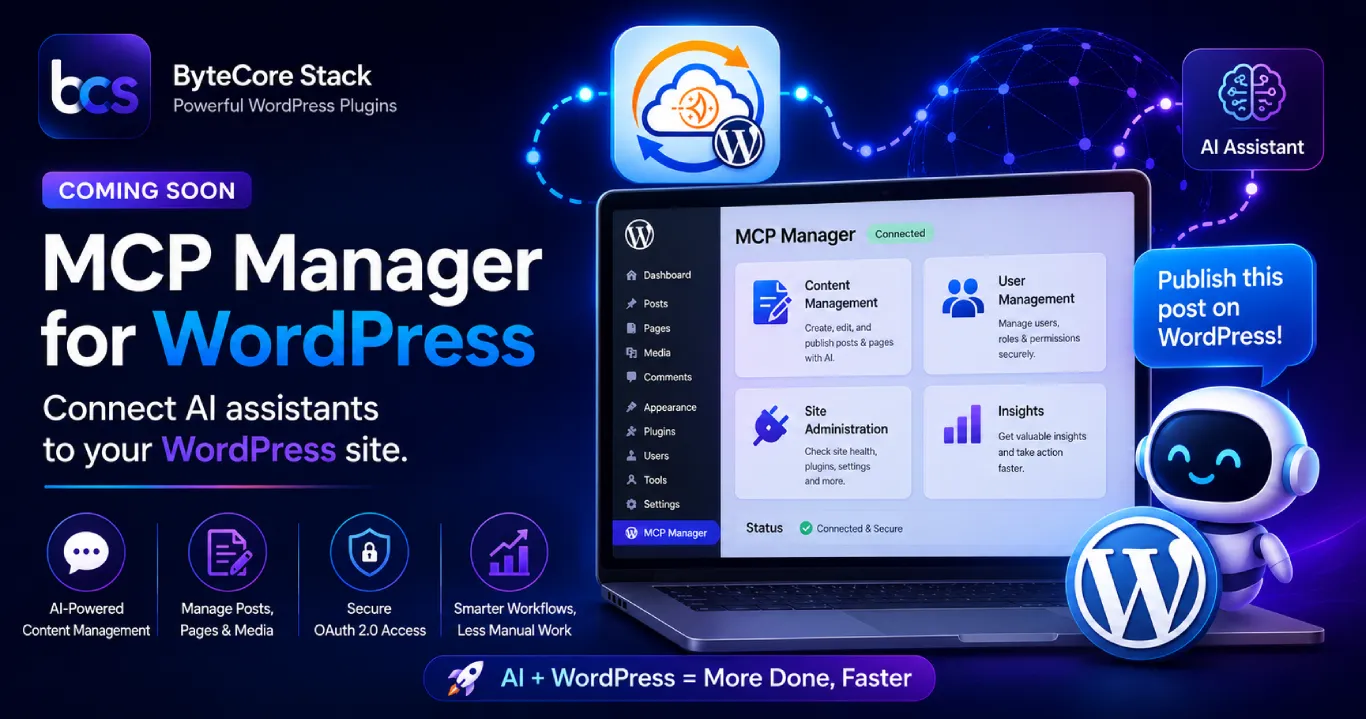

We’re Launching MCP Manager — And It Changes How WordPress Works with AI
At ByteCore Stack, we build tools that solve real problems for WordPress site owners and developers. Our first two plugins — SMTP Manager and Lightsail Manager — focus on email deliverability and CDN performance. They’re practical, lightweight, and solve things that break quietly behind the scenes.
MCP Manager is different. It’s the plugin we’ve been most excited to ship, and we’re officially announcing that it’s coming soon to the WordPress.org repository.
Here’s what it does, why we built it, and what to expect when it launches.
What Is MCP Manager?
MCP stands for Model Context Protocol — an open standard developed by Anthropic that allows AI assistants like Claude to securely connect to external tools and services. Think of it as a universal bridge between AI and the software you already use.
MCP Manager is a WordPress plugin that implements this protocol directly inside your WordPress site. Once installed, it exposes a secure API endpoint that AI assistants can connect to — letting them read, write, and manage your WordPress content, posts, pages, plugins, users, and settings through natural language conversations.
In plain terms: instead of logging into wp-admin to publish a post, update a page, or check your site stats, you can simply ask an AI assistant to do it — and it will, securely, through MCP Manager.
Why We Built It
We’ve been using an internal version of MCP Manager at ByteCore Stack for months. Every blog post you’re reading on this site, every category and tag update, every plugin configuration — a significant portion of it has been managed through an AI assistant connected to our own WordPress site via this protocol.
The productivity difference is real. Tasks that used to require navigating multiple wp-admin screens now happen in seconds through a conversation. More importantly, it opens the door to genuine automation — AI that can research a topic, write a post, upload an image, set categories and tags, and publish it, all in one flow.
We built MCP Manager because we wanted this capability to be available to every WordPress site owner, not just developers comfortable writing custom API integrations.
What MCP Manager Will Let You Do
Content Management via AI
Ask your AI assistant to draft, edit, schedule, or publish posts and pages. Add tags, categories, featured images, and excerpts — all through conversation. No more context-switching between your AI tool and your WordPress dashboard.
Site Administration
Check which plugins are active, view recent comments, get site health information, manage users, and run basic maintenance tasks — all from your AI interface of choice.
Developer Workflows
For developers managing multiple client sites, MCP Manager enables AI-assisted workflows that can dramatically reduce the time spent on routine content and configuration tasks. Combined with our SMTP Manager for email reliability and Lightsail Manager for CDN, you get a complete infrastructure stack that AI can manage end-to-end.
Secure by Design
Security is the first concern with any plugin that exposes a WordPress API. MCP Manager uses OAuth 2.0 authentication, meaning AI assistants must be explicitly authorized before they can connect. You control exactly which tools and capabilities are available, and all activity is logged so you have a full audit trail of what was done and when.
How It Compares to Existing Solutions
A few tools exist that let AI assistants interact with WordPress — typically via the WordPress REST API or custom webhooks. The difference with MCP Manager is the protocol itself. MCP is becoming the standard that major AI platforms (Claude, and others) are building native support for. By implementing MCP natively in WordPress, MCP Manager means your site is compatible with any MCP-capable AI assistant, not just one specific tool or integration.
It’s the difference between a proprietary adapter and a universal standard. We believe MCP will become as foundational to AI-connected software as REST APIs were to web integrations a decade ago — and MCP Manager puts your WordPress site at the front of that shift.
Who Is MCP Manager For?
- Content creators and bloggers who want to use AI writing tools without constantly switching tabs to publish and format posts in WordPress.
- WordPress developers and agencies managing multiple client sites who want AI-assisted workflows for content, configuration, and maintenance.
- Business owners who want to reduce the time their team spends on routine WordPress admin tasks.
- Tech-forward WordPress users who are already using Claude, ChatGPT, or other AI assistants and want those tools to actually connect to their site.
When Is It Launching?
MCP Manager is in final preparation for submission to the WordPress.org plugin repository. We’re targeting a public launch very soon — and we’ll be announcing the exact date across our blog and social channels first.
If you want to be among the first to know when it goes live, drop us a message and we’ll make sure you’re on the early access list. We’re also open to feedback from developers who want to test it on their own sites before the official launch.
What Comes After Launch
The free version launching on WordPress.org will cover the core MCP connection, content management tools, and basic site administration. We’re already planning a Pro version with advanced capabilities — multi-site support, granular permission controls, extended tool sets, and priority support. More details on that will come closer to launch.
In the meantime, you can read more about how MCP works in practice in our earlier post: Talk to Your WordPress Site: How MCP Manager Connects Claude to Your CMS. And if you’re thinking about the bigger picture of AI and your website, our post on AI ROI pressure reshaping tech in 2026 is worth a read.
FAQ
What AI assistants will work with MCP Manager?
Any AI assistant that supports the Model Context Protocol — currently Claude by Anthropic, with more platforms adding MCP support rapidly. The plugin is designed to be compatible with any MCP-capable client, not locked to one provider.
Is MCP Manager free?
Yes — the core plugin will be free on the WordPress.org repository. A Pro version with advanced features is planned for after launch.
Is it safe to connect an AI to my WordPress site?
MCP Manager uses OAuth 2.0 authentication and full activity logging. You explicitly authorize which AI clients can connect, and you can revoke access at any time. No connection happens without your approval.
Do I need technical knowledge to set it up?
We’re building MCP Manager to be as straightforward to configure as any standard WordPress plugin. If you can install and activate a plugin, you’ll be able to get connected.
Will it work with my existing WordPress setup?
MCP Manager is designed to work alongside your existing plugins and themes without conflicts. It adds a new API layer without modifying core WordPress functionality.
Conclusion
MCP Manager represents a meaningful shift in what’s possible with WordPress and AI — not AI-generated content as an afterthought, but a genuine two-way connection between your site and the AI tools you work with every day.
We’re incredibly proud of what we’ve built and can’t wait to get it into your hands. Watch this space — the launch is coming soon.
In the meantime, check out our other free plugins: SMTP Manager for WordPress email delivery and Lightsail Manager for AWS Lightsail CDN management. And if you have a WordPress, Shopify, or custom development project you’d like to discuss, get in touch with our team.